
A new era of Minecraft mods

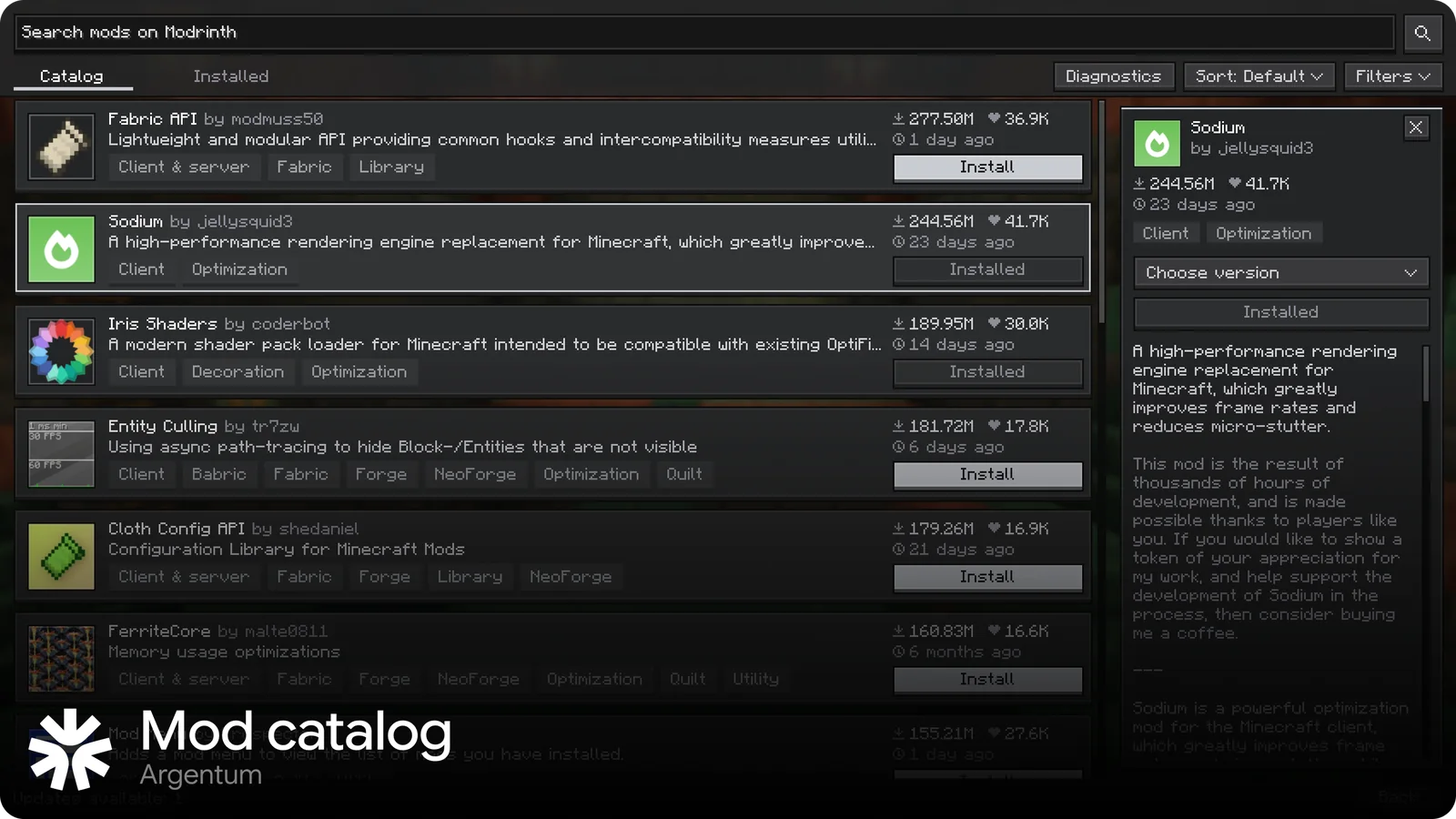
Install mods from a catalog right in the game and apply them without restarting by hand. If a mod breaks, the game keeps running.

v1.0 · 58.5 MB · Minecraft 1.21.1 · SHA-256

Argentum mod catalog

The game shouldn't crash because of a mod

Argentum is built on Fabric and ships with a mod catalog. It takes care of the things a regular mod can't do.

01

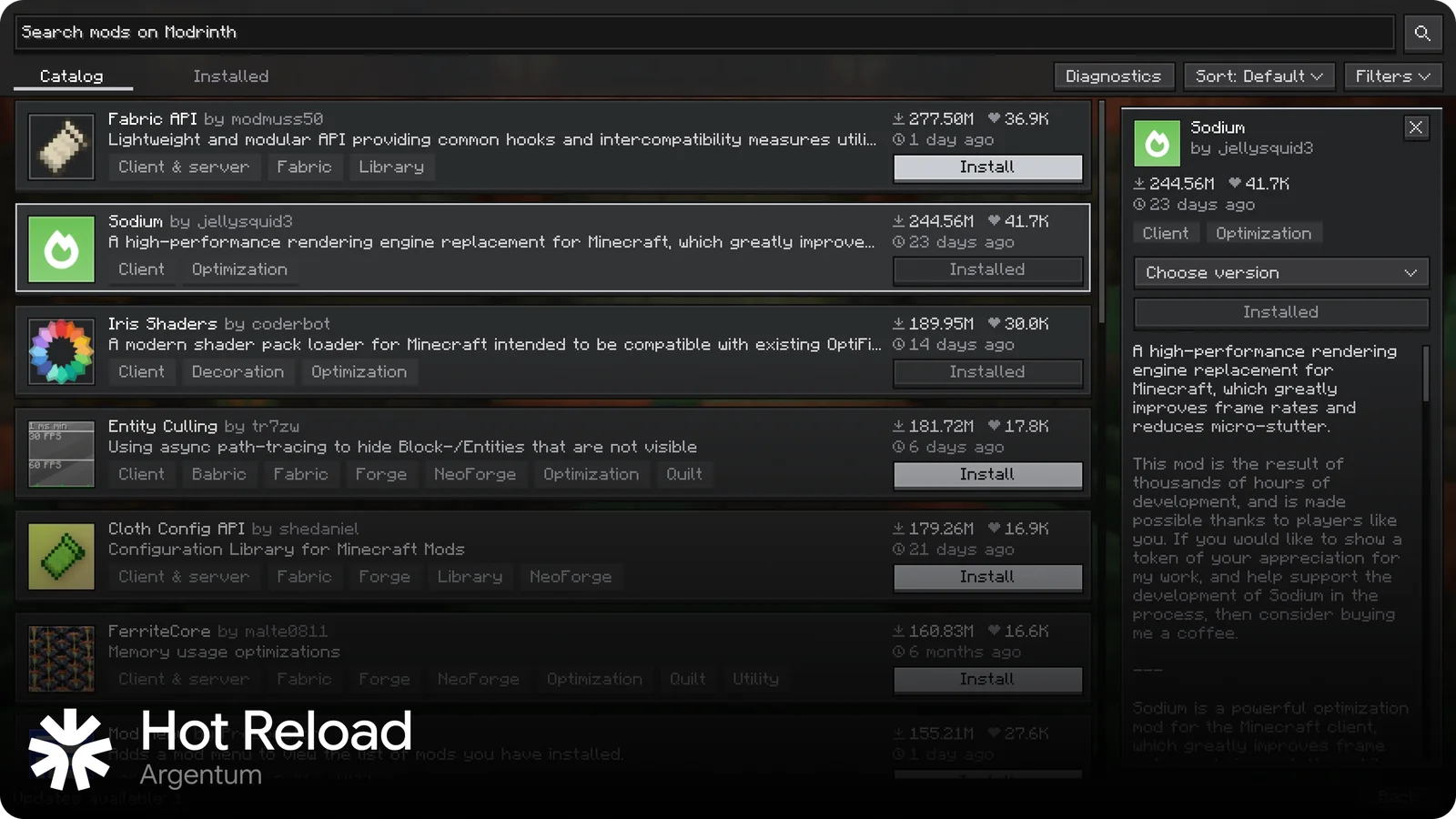
Change mods without leaving the game

Queue installs, removals and updates, then press Apply changes. Argentum starts a fresh copy of the game in the background with the new set and swaps the window when it's ready. If something goes wrong, the old set stays.
02

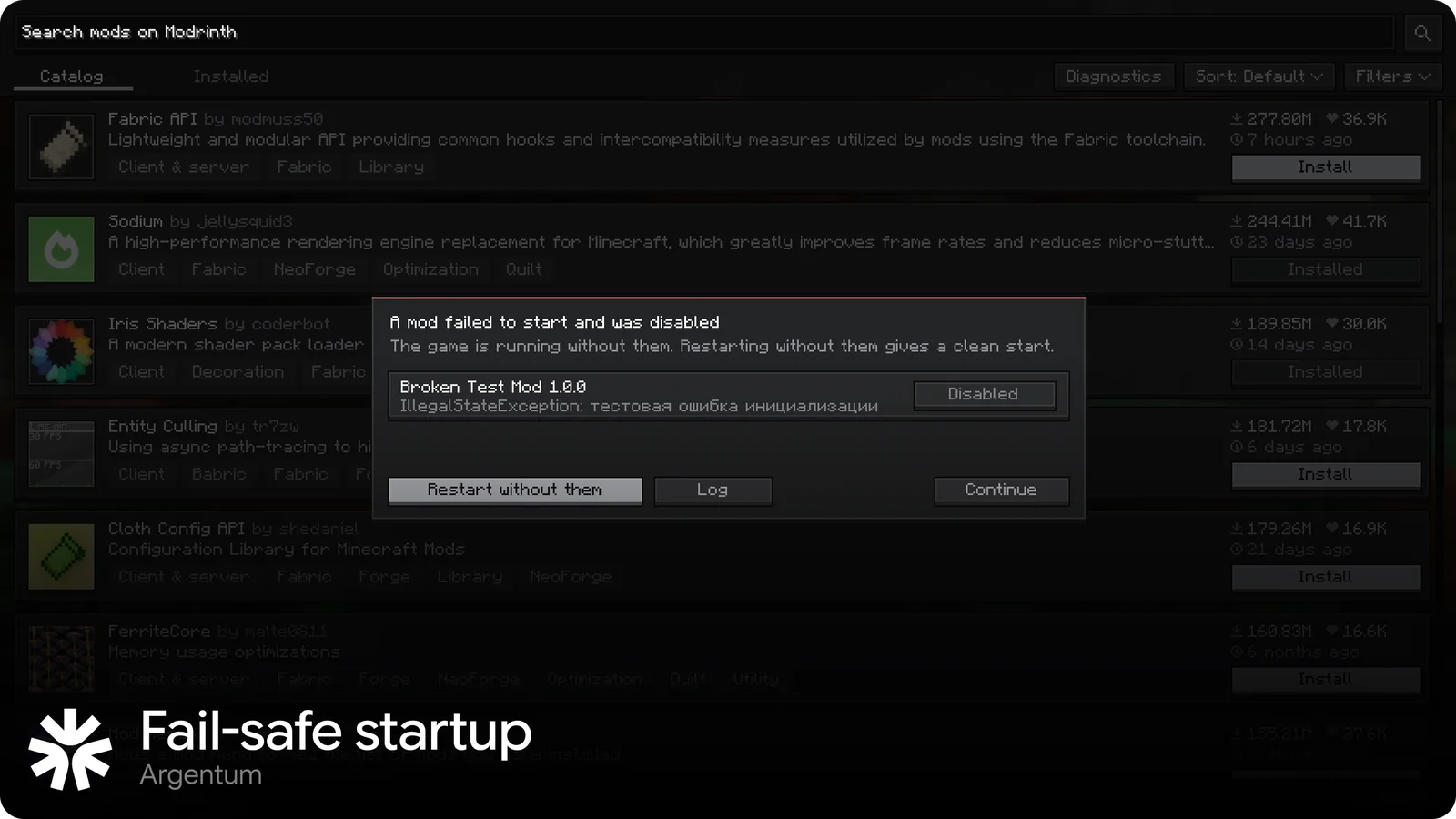
A broken mod doesn't take the game down

If a mod crashes at startup, Argentum turns it off along with everything that depends on it, and tells you which mods and why.

03

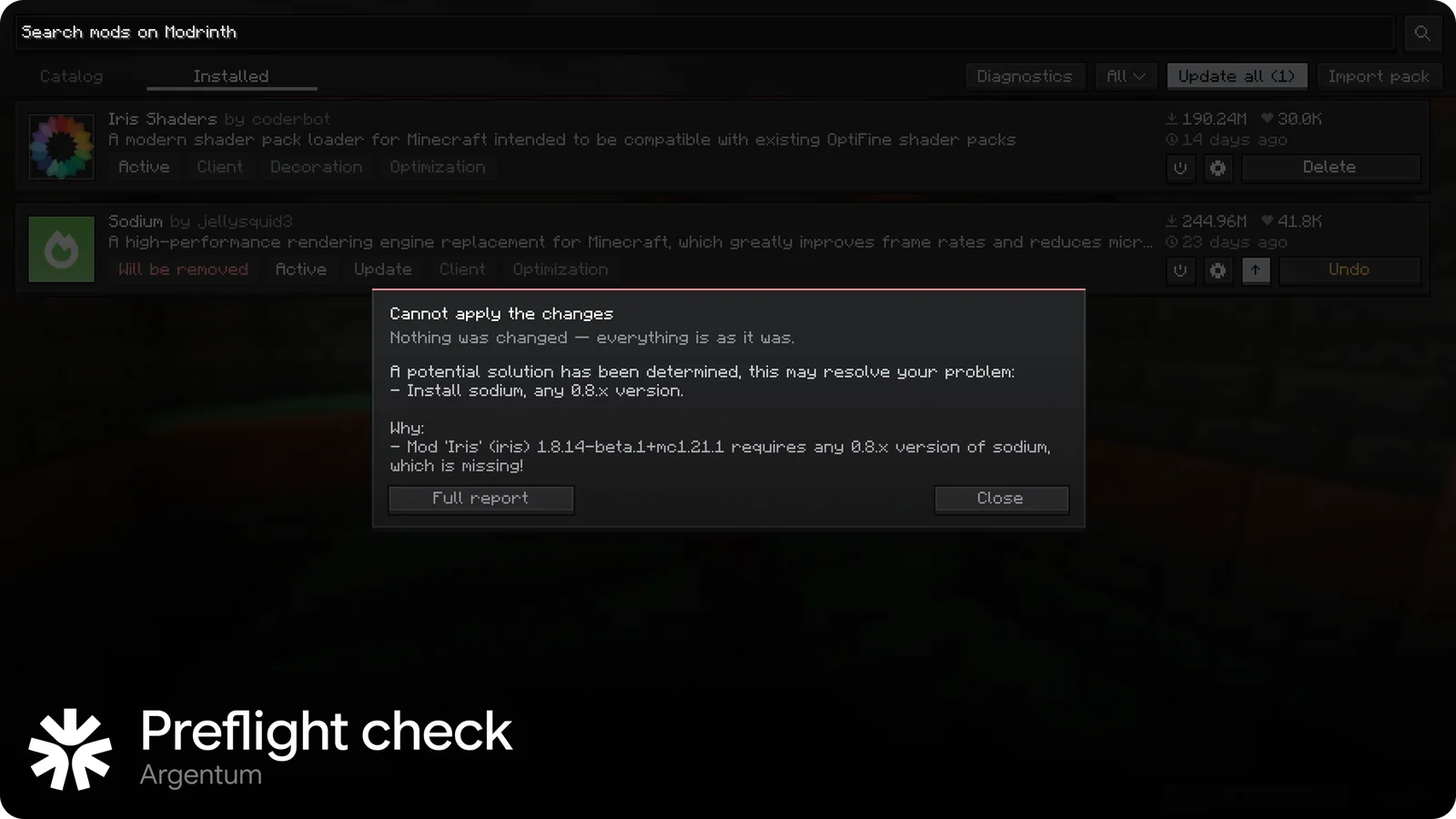
Checked before anything changes

The new mod set goes through the dependency resolver first. If it won't start, nothing is touched, and you get a reason you can act on: “Install sodium 0.8.x, Iris needs it”.

04

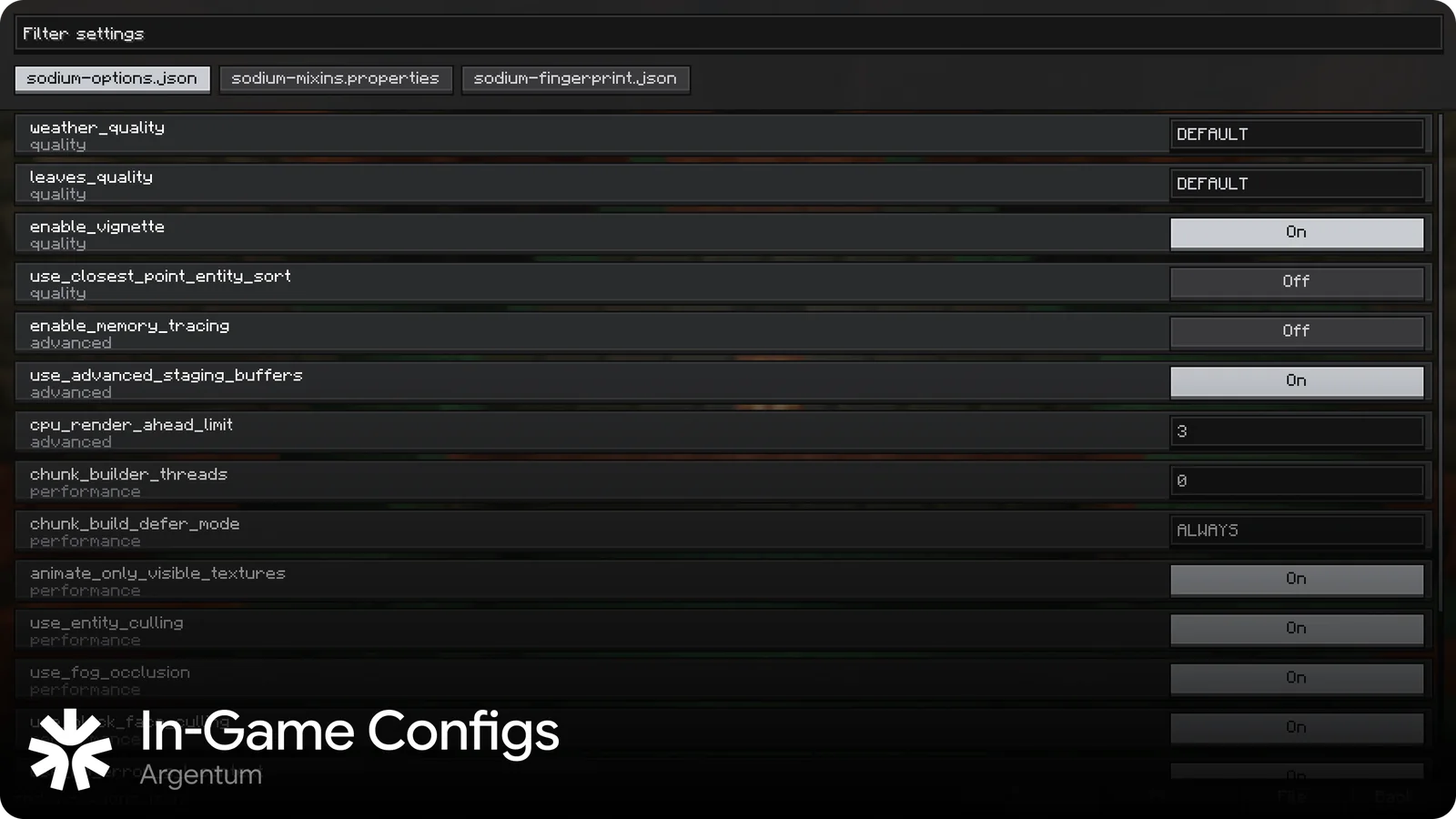
Mod settings in the game

Edit JSON, JSON5, TOML and properties files in a built-in editor instead of hunting through the config folder.

And also

  • Modrinth catalog with search, categories, versions and dependencies
  • Updates by file hash and .mrpack import
  • Crash diagnosis that names the likely mod
  • Readable errors in English and Russian
  • Startup profile: phases, slowest mods, Mixin time
  • Files locked by Windows are cleaned up on the next launch

Install

Takes about a minute. Works with Prism Launcher and the official launcher.

  1. 1

    Download

    Get ArgentumAnchor.exe and run it from anywhere, Downloads is fine.

  2. 2

    Pick the game

    It finds your Prism instances and the official .minecraft on its own. Choose one and press Install.

  3. 3

    Play

    Start the game and open Argentum Mods on the title screen.

Minecraft
1.21.1
Mods
Fabric
System
Windows
Launchers
Prism, Official

What's next

Plans, not promises: the order and contents can change.

  1. 1.0

    Out now

    Fail-safe startup, installer for Prism and the official launcher.

  2. 1.1

    Shaders and resource packs

    Get them from the catalog with the same queue and Apply changes.

  3. 2.0

    Convenience

    Theme editor, mod folders, a folder manifest that works as a modpack, your own modpack CDN.

  4. 3.0

    Hybrid core

    Our own core written to the spec. Fabric, NeoForge and Forge mods in one client.

  5. 4.0

    Ecosystem

    Argentum mod API and server support with a web panel.

Questions

Will my Fabric mods work?

Yes. Argentum runs regular Fabric mods (fabric.mod.json). Forge and NeoForge mods aren't supported yet, that's planned for 3.0.

Windows warns me about the file. Is it safe?

The installer isn't code-signed yet, so SmartScreen may warn you: click “More info”, then “Run anyway”. You can check the file against the published SHA-256 checksum.

Which launchers are supported?

Prism Launcher and the official Minecraft launcher (as a profile). In Prism the version shows up under Edit Instance → Version.

Does it collect any data?

No telemetry. The catalog only talks to Modrinth: search, downloads, and file hashes of your mods to find updates.

How do I update?

Download the new version and run the installer again. Your mods and settings stay where they are.

How do I remove it?

In Prism: Edit Instance → Version, remove ArgentumLoader and add Fabric Loader back, then delete argentum-client-*.jar from mods. You can delete the .argentum folder too.

Is it free?

Yes, Argentum is free to download and use.

Try it on your instance

Download for Windows